

 Translational Ayurveda
  Spencer's Pathology of the Lung 6th, 2 Part Set
  Arbeitgeber Patient – Kundenorientierung in Gesundheitsberufen
  Complete Orthodontic Course: From Beginner to Advanced
OHI-S EXOCAD Implant Restorations Step-by-step Video Guide
50 $
Format : 6 videos + 6 audios + 6 file sub vtt, size: 2.41 GB
5 lessons + 1 free (5h 35min)
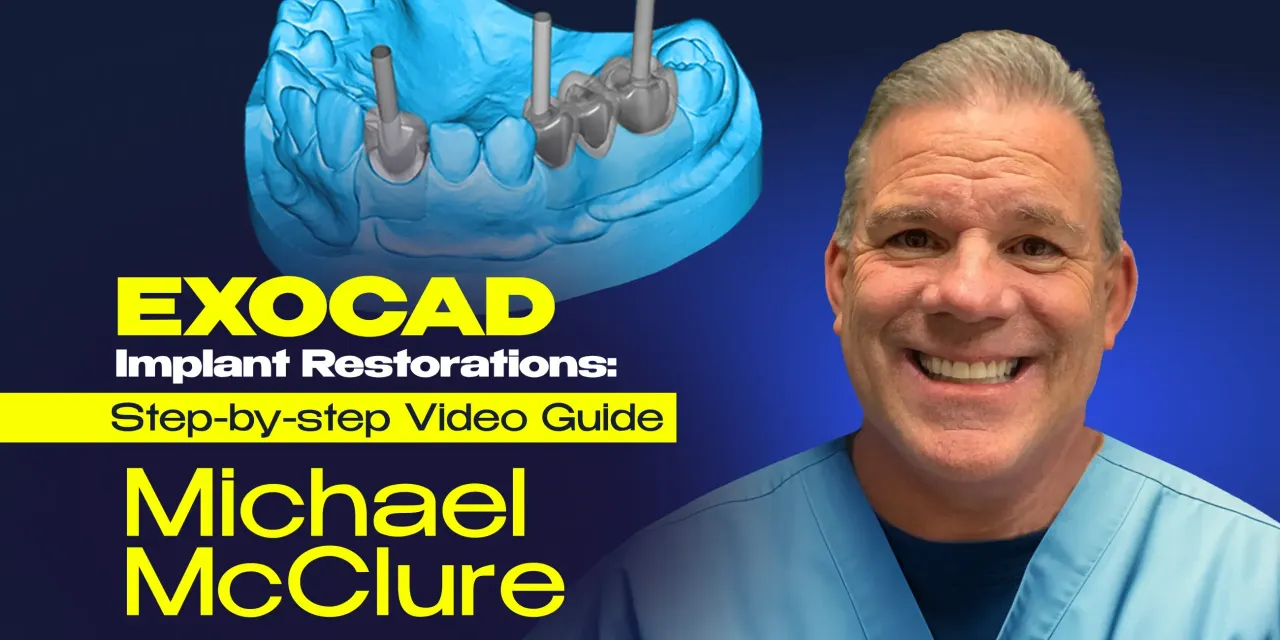
Complete guide to EXOCAD Implant Restorations: Step-by-step Video GuideImplant Restorations with Dr. Michael McClure — An American Board Diplomate and a level 3 EXOCAD trainer!
After the completion of this practical oriented course, you will be able to:
– Plan implant prosthetic rehabilitation with EXOCAD
– Design and fabricate a single implant in the aesthetic zone
– Design and fabricate multi-unit implant restorations
– Work with screw retained and cement retained implant prosthetics
– 3D print full arch implant retained restorations.
With the expert guidance of Dr. Michael McClure, you will unlock all the secrets of EXOCAD Implant Module, enabling you to achieve excellent implant rehabilitation treatment outcomes and improved patient satisfaction.
The OHI‑S EXOCAD Implant Restorations: Step‑by‑Step Video Guide course is best for prosthodontists, restorative dentists, and dental technicians who want structured, training in digital implant workflows using EXOCAD software. It emphasizes practical, step‑by‑step protocols for designing and fabricating implant restorations with precision and efficiency.
Who Should Enroll
Prosthodontists managing complex implant cases and full‑mouth rehabilitations.
Restorative dentists & general practitioners performing implant‑supported crowns, bridges, and hybrid prostheses who want predictable digital workflows.
Dental technicians & lab professionals using EXOCAD for implant restoration design and fabrication.
Residents & fellows in prosthodontics or restorative dentistry seeking advanced training in digital implant prosthetics.
What You’ll Learn
EXOCAD fundamentals: navigation, tools, and workflow setup for implant restorations.
Digital design protocols: step‑by‑step guidance for crowns, bridges, and hybrid prostheses.
Implant integration: working with scan bodies, digital impressions, and implant libraries.
Material selection: ceramics, composites, and hybrid materials optimized for digital implant restorations.
Clinical & lab collaboration: ensuring seamless communication between dentist and technician.
Case‑based lessons: video demonstrations of implant restoration design from start to finish.
+ Topics:
Lesson 1.Getting started with EXOCAD Implant Rehabilitation. Introductory lesson
– Overview and Introduction to DentalDB
– The basic features and clinical indications
– Formulation of a new project. Materials and parameter setting
– Overview and Introduction to DentalCAD:
– The basic and advanced features for working with DentalCAD
– User interface on EXOCAD. EXOCAD hotkeys and shortcuts
– DentalCAD Wizard mode and Expert mode.
Recommended for: Dental technicians, Prosthodontists, Implantologists, General dentists.
Lesson 2.Getting started with EXOCAD Implant Rehabilitation
– Overview and Introduction to DentalDB
– The basic features and clinical indications
– Formulation of a new project. Materials and parameter setting
– Overview and Introduction to DentalCAD:
– The basic and advanced features for working with DentalCAD
– User interface on EXOCAD. EXOCAD hotkeys and shortcuts
– DentalCAD Wizard mode and Expert mode.
– EXOCAD application in clinical practice:
Designing an anatomic crown
Designing a 3-unit bridge.
Recommended for: Dental technicians, Prosthodontists, Implantologists, General dentists.
Lesson 3.Designing and Fabrication of Single Dental Implant in the Aesthetic Zone
– Single unit custom abutment and crown setup in DentalDB and designing in DentalCAD:
– Application of scan bodies to identify dental implant position
– Free forming scan data to create the proper emergence profile
– Designing proper custom abutment profile to include angled screw channels
– Designing final superstructure restoration.
– Step-by-step demonstration for designing of screw retained implant crown in the aesthetic zone
– Single unit screw retained implant crown setup in DentalDB and design in DentalCAD:
– Application of scan bodies to identify dental implant position
– Free forming scan data to create the proper emergence profile of the final implant restoration.
– Steps to designing proper custom abutment profile to include angled screw channels
– Steps to designing final superstructure restoration
– Designing a “screw-mentable” custom abutment and crown.
Recommended for: Dental technicians, Prosthodontists, Implantologists, General dentists.
Lesson 4.Designing and Fabrication of Multi-unit Implant Abutment
– Screw retained multi-unit custom abutment crowns. Setup in DentalDB and designing in DentalCAD
– Cement retained multi-unit custom abutment crowns. Setup in DentalDB and designing in DentalCAD
– Application of scan bodies to identify dental implant position
– Free forming scan data to create the proper emergence profile including virtual extractions
– The design of proper custom abutment profiles. Angled screw channels and the proper insertion path for bridges
– Engaging vs non-engaging abutments for dental implants. Analysis of clinical cases
– Step-by-step guide to designing the final superstructure restorations.
Recommended for: Dental technicians, Prosthodontists, Implantologists, General dentists.
Lesson 5.Full Arch Dental Implant retained restorations with EXOCAD
– Full arch implant retained prosthetic restoration setup in DentalDB
– Full arch implant retained prosthetic restoration design in DentalCAD
– Full arch wax-up design
– Exocad wax-up: virtual extractions and scan data freeforming
– Step-by-step protocols of converting wax-up to a screw retained full arch prosthetic restorations
– Occlusal considerations when designing full arch implant retained prosthetic restorations
– ALL-ON-4 protocols with EXOCAD. Designing and fabrication of hybrid denture
– Hybrid dentures with EXOCAD. Analysis of a clinical case.
Recommended for: Dental technicians, Prosthodontists, Implantologists, General dentists.
Lesson 6.Designing and 3D Printing of a Full Arch Implant Retained Prosthetic Restoration. Protocols of Same-day Dentistry
– Protocols of intraoral scanning
– Integration of intraoral scans data, photogrammetry scan data, and digital wax-ups
– Step-by-step demonstration of designing a full arch implant retained prosthetic restoration
– ALL-ON-4 EXOCAD workflow
– Fabrication and designing of overdentures
– Same-day dentistry. Analysis of clinical cases.
Recommended for: Dental technicians, Prosthodontists, Implantologists, General dentists.
Be the first to review “OHI-S EXOCAD Implant Restorations Step-by-step Video Guide”
You must be logged in to post a review.
Related products
Dental Ebook And Video
Plastic-Esthetic Periodontal and Implant Surgery: The Special DVD Compendium
39 $
Dental Ebook And Video
Vertical Preparation Protocols: The Complete Guide in 24 Lessons from Tomorrow Tooth
38 $
Dental Ebook And Video
ITI International Team for Implantology Webinar & Video Lectures Package Part-4
50 $
Reviews
There are no reviews yet.