

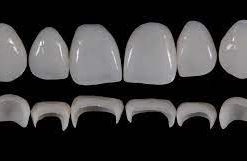
 Prosthetic Rehabilitation on Natural Teeth: Predictable, Esthetic and Systematic Steps

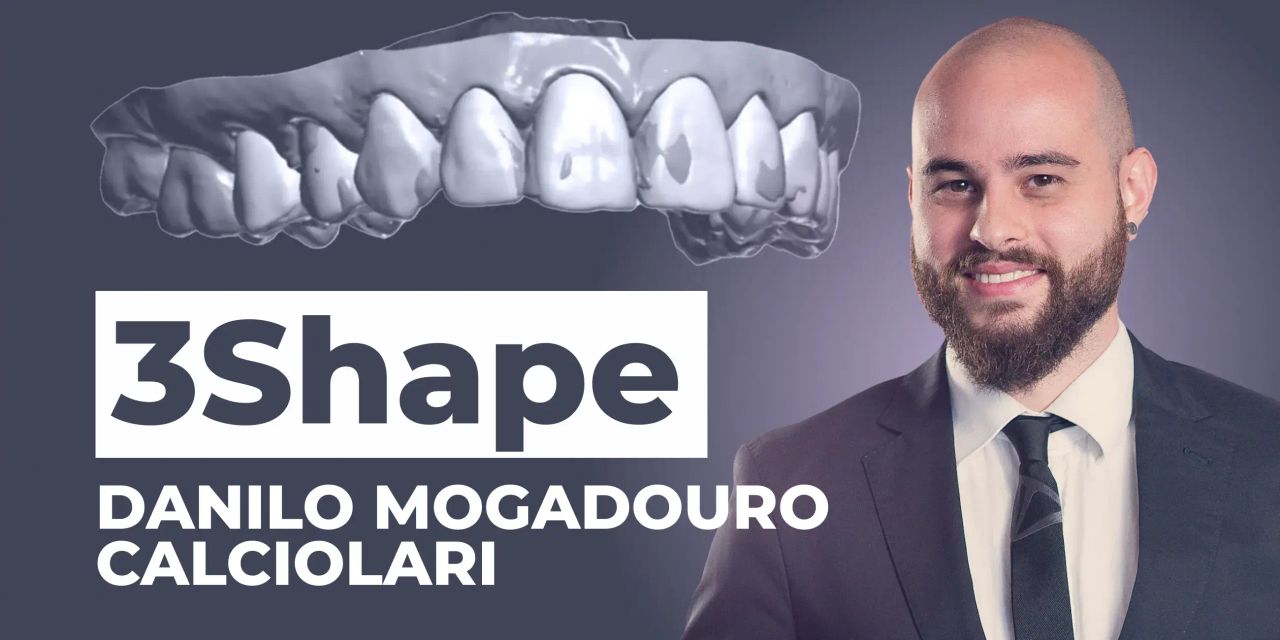
OHI-S 3Shape practical guide for prosthodontists and technicians 2023
50 $
Format : 9 videos + 9 audios + 9 file sub vtt, size: 3.49 GB
Course created: 11/21/2023
8 lessons + 1 free (6h 2min)
An intensive online course specifically designed for prosthodontists and dental technicians looking to master advanced technologies in digital dentistry, with 3Shape Dental System software.
Throughout the course, you will learn how to:
– Captivate your patients with tips and tricks on 3Shape Smile Design
– Create a 3D mock-up for more predictable treatment planning
– Design veneers from planned case to final restorations (how to save time and optimize the workflow)
– Generate printable digital models with 3Shape Model Builder
– Design a complete digital denture.
You will learn to create precise and aesthetically perfect dental prostheses using cutting-edge methods and technologies.
The OHI‑S 3Shape Practical Guide for Prosthodontists and Technicians 2023 is best for prosthodontists, restorative dentists, and dental technicians who want structured, CE‑accredited training in digital dentistry workflows using 3Shape technology. It emphasizes practical, step‑by‑step guidance for scanning, designing, and fabricating restorations with precision and efficiency.
Who Should Enroll
Prosthodontists managing complex restorative cases who want to integrate 3Shape CAD/CAM workflows.
Restorative dentists & general practitioners using intraoral scanners and digital design for crowns, veneers, and implant restorations.
Dental technicians & lab professionals fabricating restorations with 3Shape software and digital workflows.
Residents & fellows in prosthodontics or restorative dentistry seeking structured training in digital dentistry.
What You’ll Learn
3Shape scanning protocols: intraoral scanning techniques for accuracy and efficiency.
Digital design workflows: crowns, veneers, onlays, implant abutments, and full‑arch prosthetics.
CAD/CAM integration: using 3Shape software for predictable restorative outcomes.
Collaboration between dentist and technician: optimizing communication and workflow efficiency.
Case‑based lessons: real examples demonstrating digital restorative protocols.
+ Topics:
Lesson 1.Captivating your patients: tips and tricks on 3Shape Smile Design workflow
– Importing patient photos from browser or 3Shape Communicate®
– Aligning and editing photos
– Choosing between available smile libraries
– Using software tools to design a virtual smile based on the patient’s references
– Changing parameters for a more realistic output
– Saving and exporting results.
Recommended for: Dental technicians, Prosthodontists.
Lesson 2.Digital treatment planning
– Digital Smile Design and digital treatment planning
– Uploading the files
– Digital Wax-up
– Correctly filling in the order form
– Importing relevant and additional files.
Recommended for: Dental technicians, Prosthodontists.
Lesson 3.3D smile design for more predictable treatment planning
– Aligning patient’s photos with 3D scans
– Aligning additional files
– Downloading and selecting available smile libraries
– Optimizing teeth placement in 3 steps
– Generating STL files for 3D printing.
Recommended for: Dental technicians, Prosthodontists.
Lesson 4.3Shape Model Builder: understanding tools for different workflows
– Correctly filling in the order form
– Choosing manufacturing processes
– Choosing setups for different outputs
– Adjusting relevant setting parameters.
Recommended for: Dental technicians, Prosthodontists.
Lesson 5.3Shape Model Builder: dental design for veneers
– Occlusal aligning
– Segmentation and place the margin line
– Сorrection of proximal contacts
– Cleaning and trimming scans
– Placing a model base on 3D scans
– Generating STL files for 3D printing.
Recommended for: Dental technicians, Prosthodontists.
Lesson 6.From planned case to final veneers: how to save time and optimize the workflow
– Correctly filling in the order form
– Choosing the correct manufacturing process
– Understanding differences between 3D printing, 3 axis milling and 3+2 axis milling
– Importing and aligning relevant and additional files
– Identifying possible error sources.
Recommended for: Dental technicians, Prosthodontists.
Lesson 7.From planned case to final implant restoration
– Morphing designed teeth to preparation
– Occlusal aligning
– Model Builder workflow
– Exploring tools for design validation
– Generating STL files for production.
Recommended for: Dental technicians, Prosthodontists.
Lesson 8.Digital dentures: model scanning
– Model scanning: intraoral scanning vs lab scanning
– Correctly filling in the order form
– Choosing the correct manufacturing process
– Understanding differences between 3D printing and milling.
Recommended for: Dental technicians, Prosthodontists.
Lesson 9.Digital dentures: understand why this trend is growing so fast
– Downloading extra teeth libraries in the Control Panel
– Adjusting Control Panel settings for a better output
– Exploring tools for teeth placement
– Designing a Try-in
– Designing a full denture with base + separate teeth
– Generating STL files for production.
Recommended for: Dental technicians, Prosthodontists.
Be the first to review “OHI-S 3Shape practical guide for prosthodontists and technicians 2023”
You must be logged in to post a review.
Related products

Dental Ebook And Video
60 $

Dental Ebook And Video
ITI International Team for Implantology Webinar & Video Lectures Package Part-4
50 $

Dental Ebook And Video
Rasperini Masterclass: Interproximal Attachment Gain – The Challenge Of Periodontology
89 $

Reviews
There are no reviews yet.